
Here's what most people's AI setup actually looks like: ChatGPT for writing, Midjourney for images, Claude for long documents, and maybe a separate tool for video. Four subscriptions. Four logins. Four different interfaces to juggle. The average person spending $80–100/month on AI tools they half-use.
All-in-one AI platforms were built to fix this. If your specific frustration is with ChatGPT's cost or limitations, the ChatGPT alternative guide has a detailed breakdown of what each option does better. The pitch is simple: one subscription, one interface, everything in the same place. But most of them don't actually deliver. They bolt on an image generator, slap "all-in-one" in the marketing copy, and call it done. The image gen is mediocre, the model selection is thin, and the whole thing feels like a portal to better tools rather than a tool itself.
A handful of platforms have genuinely solved this. This comparison separates those from the ones that just look good on a features page.
One honest caveat upfront: NinjaChat is our platform. We've included it here because it belongs in any honest comparison of this category, but we'll tell you exactly what the competitors do better.
Quick Comparison: 10 All-in-One AI Platforms in 2026
| Tool | Models | Image Gen | Video Gen | Price/mo | Best For |
|---|---|---|---|---|---|
| NinjaChat AI | 20+ (GPT-5, Claude Opus 4.6, Gemini 3, Mistral, DeepSeek) | Flux Pro, SD3 | Seedance 2.0, Veo 3 | From $11/mo | Most users needing true all-in-one |
| Poe | GPT, Claude, Gemini, DeepSeek, community bots | Limited | No | ~$5–20/mo | Model exploration and testing |
| Magai | 50+ models | Basic | No | ~€20/mo | Content agencies and writing teams |
| Galaxy.ai | GPT, Claude, Gemini, DALL-E, SD | Yes | Yes | ~$15/mo | Maximum tool variety |
| 1minAI | Internal models | Yes | Basic | ~$6.50/mo | Budget-conscious solo creators |
| Mammouth AI | GPT, Claude, Gemini, Mistral, DeepSeek, Llama | Flux, Recraft | No | ~€10/mo | Research-heavy multi-project users |
| Aymo AI | 40+ models incl. GPT-5, Claude, Gemini, Grok | No | No | ~$4/mo | Developer teams |
| WritingMate | 200+ models | Basic | No | ~$20/mo | Writers who want maximum model choice |
| You.com | 25+ models | YouImagine | No | ~$20/mo | Research with web grounding |
| AiZolo | BYO API keys | Depends on keys | Depends on keys | Free + usage | Advanced users who want cost control |
What Actually Makes an All-in-One Platform Worth Using
Three things separate genuine all-in-one platforms from aggregators wearing a costume:
1. The media generation has to be real. Not a redirect to another service. Not an API wrapper that produces low-res outputs. Actual competitive image and video generation — the kind you'd pay for separately if you had to.
2. Context has to persist across task types. If you write a product description in the chat, then open the image generator, it shouldn't be a blank slate. Good all-in-one platforms carry context between tools so you're not re-explaining yourself.
3. The model selection has to include the frontier. If a platform calls itself multi-model but only has GPT-3.5 and a few open-source models, it's not actually giving you access to the best tools. In 2026, a serious platform should have GPT-5, Claude Opus 4.6, and Gemini 3 at minimum.
The 10 Best All-in-One AI Tools in 2026
1. NinjaChat AI
Disclosure: this is our platform
Best all-in-one overall
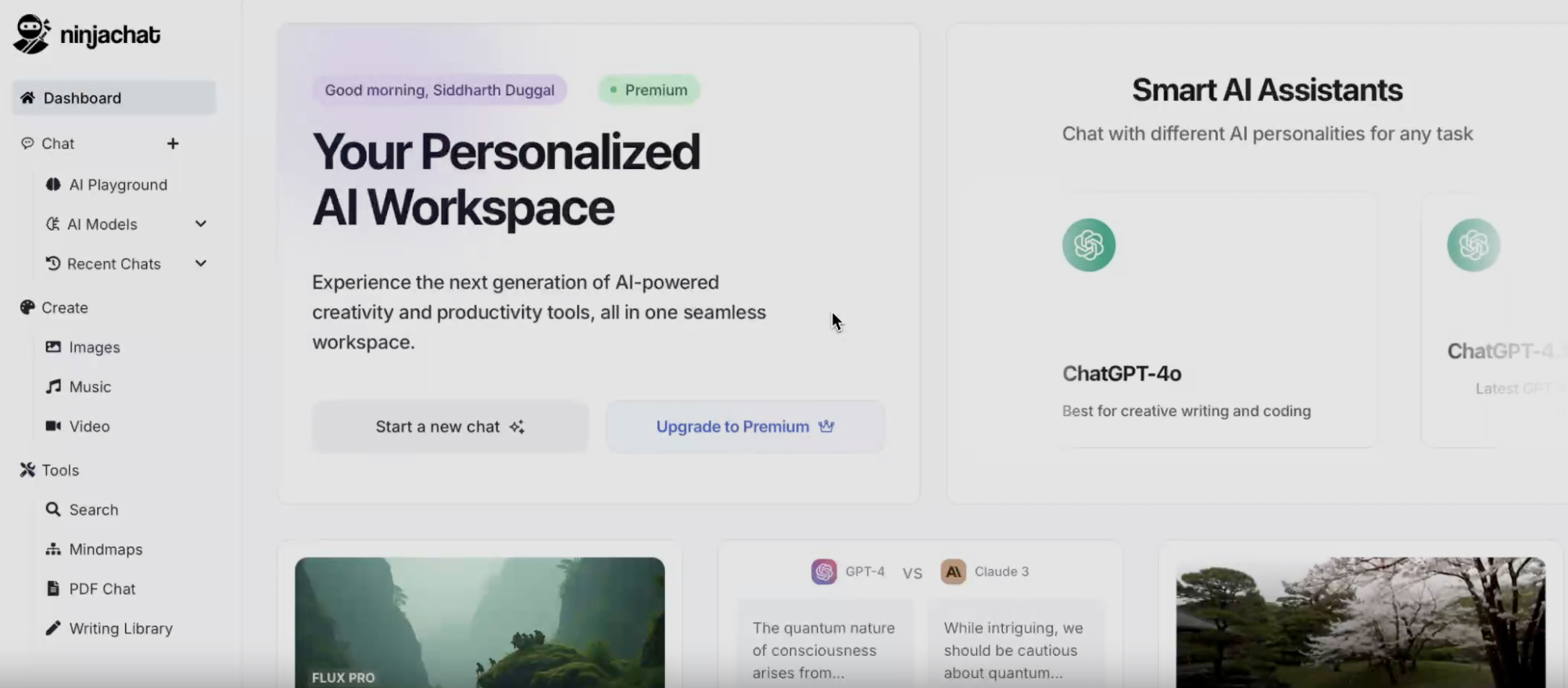
NinjaChat started as a multi-model chat interface and built out from there. Today it covers text chat, long-form writing, image generation, video generation, document analysis, and a library of specialized tools — all under a single subscription and single login.
What separates it from most competitors isn't the feature list, it's the integration. When you're writing a blog post in the chat and decide you need a header image, you don't lose your thread. When you're analyzing a PDF and want to draft a summary, the document context is already there. The platform was designed for people who produce things daily, not for occasional experimentation.
Models: GPT-5, Claude Opus 4.6, Gemini 3, Mistral Large, DeepSeek R2, and 15+ others. You can switch mid-conversation without starting over.
Image generation: Flux Pro and Stable Diffusion 3. The output quality is genuinely competitive with Midjourney for most use cases. Try it at the Flux AI Image Generator.
Video generation: Seedance 2.0 and Veo 3 — two of the strongest video models available anywhere right now.
Writing tools: Dedicated tools for essays, emails, hooks, grammar, and humanizing AI text. The AI Essay Generator and AI Humanizer are particularly well-built.
What it lacks: If you're a developer who wants to bring your own API keys and control billing at the token level, NinjaChat doesn't offer that. AiZolo does. If you're purely a text-focused writer who never touches images or video, the broader feature set adds cost you won't use — WritingMate might be a better fit.
Pricing: No free plan. Paid plans from $11/month, or $101/year billed annually.
Best for: People replacing 3–4 AI subscriptions with one. Marketers, founders, content creators, and anyone whose workflow spans writing, visuals, and research.
Explore the NinjaChat dashboard →
2. Poe
Best for model exploration
Poe is built by Quora. It's not an AI company — it's an aggregator. Poe licenses API access from Anthropic, OpenAI, Google, and others, wraps it in a clean interface, and resells it to consumers. That's not a criticism; it's just what it is, and it's actually useful if you know what you're getting.
The real value of Poe is switching between models in the same conversation. You can send a prompt to GPT-5, Claude Opus 4.6, and Gemini 3 side-by-side to compare outputs. The community bot marketplace lets you access fine-tuned models and custom personas that other users have built.
What Poe doesn't do is build features. There's no real image generation pipeline, no video gen, no document workflow. When you need those things, you're back to a different tool. It's a model playground, not a production environment.
The pricing also bites heavy users. Poe's per-message credit system means power users quickly hit limits or upgrade to higher tiers than they anticipated. If you're prompting all day, the math doesn't favor Poe over a platform with unlimited or credit-pooled access.
Pricing: Free tier available. Paid plans range from ~$5 to ~$20/month depending on message volume.
Best for: Developers, researchers, and prompt engineers who want to test and compare models quickly. Not the right choice if you need production-level media generation.
3. Magai
Best for content agencies and writing teams
Magai leans hard into the agency and professional writing use case. The workspace organization is genuinely good — you can group conversations by client or project, save prompt templates, create personas for different content types, and give team members access to shared workspaces. For an agency billing by the project, that structure is worth real money in saved time.
The model access is broad: 50+ models including all the major frontier ones. Context handling is solid, and the interface is one of the cleaner ones in this category.
The gap is media generation. Magai has basic image generation but no video pipeline. If your agency does written content and that's it, this gap won't matter. If you're producing social content that needs video or high-quality visuals, Magai will leave you hunting for a second subscription.
Some users report slowdowns during peak hours on complex queries — worth knowing if your team is working to tight deadlines.
Pricing: Starts around €20/month.
Best for: Content teams and agencies producing high-volume written content. Less suited to creators who need strong image/video output.
4. Galaxy.ai
Best for maximum tool variety
Galaxy.ai is the everything-store of AI platforms. Thousands of tools, dozens of models, multimodal generation across text, image, video, and audio — all accessible from a single dashboard. The breadth is unmatched.
The problem with breadth is coherence. Galaxy.ai can feel like navigating a huge product catalog when you just want to run one workflow. New users frequently report not knowing where to start. The credit system for different tool types can also be opaque — it's not always obvious how many credits a given generation costs until after the fact.
That said, for users who genuinely need variety — testing different image models, experimenting with audio tools, exploring niche AI capabilities — Galaxy.ai covers ground that more focused platforms don't.
Pricing: Starts around $15/month billed annually.
Best for: Explorers and experimenters. Not recommended as a primary production tool if you have a consistent workflow.
5. 1minAI
Good budget pick
1minAI covers the basics well at a price point that undercuts most competitors. Text generation, image creation, audio transcription, text-to-speech, and basic video tools — all accessible on a credit-based system.
The platform is designed for simplicity over depth. Workflows are quick to set up, the interface is straightforward, and you're not wading through settings to do common tasks. For solo creators who need a capable toolset without the overhead of a more complex platform, it works.
The ceiling is lower than the other options here. Heavy daily users will hit credit limits on mid-tier plans, and the creative output quality for images doesn't match what you get from Flux Pro or DALL-E 3. If image quality matters for your work, the budget difference between 1minAI and a more capable platform isn't worth the trade-off.
Pricing: Free tier available. Paid plans start around $6.50/month.
Best for: Solo creators who need an affordable starting point and don't require top-tier image quality.
6. Mammouth AI
Good for multi-project research users
Mammouth AI's defining feature is project-level context. Instead of treating every chat as a fresh start, it lets you group conversations, documents, and tasks under project contexts that persist. If you're running three ongoing research projects simultaneously, this structure genuinely helps.
The model selection is solid: GPT, Claude, Gemini, Mistral, DeepSeek, Llama, plus Flux and Recraft for images. Web search is integrated, so answers can pull from live sources. Voice chat works across the supported models.
The tradeoff is polish. Compared to Magai or NinjaChat, the interface feels less refined. Creative tool support is limited — no video generation, and the image tools are competent but not exceptional. User reviews are genuinely mixed; some find the project structure transformative, others find it adds friction for simple tasks.
Pricing: Starts around €10/month.
Best for: People managing multiple ongoing research projects who need persistent context across them.
7. Aymo AI
Best for developer and technical teams
Aymo AI is built for teams where AI needs to slot into existing technical workflows rather than replace them. Shared workspaces, role-based permissions, real-time collaboration, and planned integrations with Slack, GitHub, Notion, and Google Drive make it useful for engineering and product teams.
The model access is strong — 40+ models including GPT-5, Claude, Gemini, DeepSeek, Grok, and Mistral. You can bring your own API key for custom billing, which developers often prefer. Pre-set prompt templates for coding, research, and debugging save setup time.
What Aymo AI deliberately doesn't do is creative media generation. No image gen, no video gen. If your team's AI use case is code review, documentation, and technical reasoning, that's fine. If you need anything beyond text, look elsewhere.
Pricing: Free tier available. Paid plans start around $4/month.
Best for: Development teams and technical workflows. Not for creative content production.
8. WritingMate
Best model variety for writers
WritingMate's headline stat — 200+ AI models — is technically impressive even if most users will only ever use a handful. The built-in editor is well-designed for drafting and refining text, there's a browser extension for integrating AI into your existing browser workflow, and the prompt library speeds up repetitive tasks.
It's a strong text-first platform. The issue is the name "all-in-one" doesn't quite fit. Image and video generation exist but feel like additions rather than core functionality. The media output quality reflects that. If writing is literally all you do with AI, WritingMate gives you excellent model variety and a clean editing environment. If you need to produce visuals for what you write, it'll leave you wanting.
Pricing: Around $20/month.
Best for: Writers, copywriters, and content professionals who live in text and want maximum model choice.
9. You.com
Best for research with web grounding
You.com is the closest thing in this category to a Perplexity competitor that also offers multi-model chat and creative tools. Its AI search integrates live web results directly into responses — not as footnotes, but as part of the answer generation process.
YouWrite, YouCode, and YouImagine give it text, coding, and image generation capabilities, making it technically multi-modal. The privacy positioning is a genuine differentiator for users who don't want their queries used for training.
The creative tools are competent but not competitive with purpose-built alternatives. You.com's real value is in the research and information retrieval layer. If your work is research-heavy and you want live web grounding plus multi-model chat, it's a strong pick. If you need serious creative output, it's not the right tool.
Pricing: Free tier available. Paid plans around $20/month.
Best for: Researchers, analysts, and privacy-conscious users who need real-time information grounding.
10. AiZolo
Best for advanced users who want cost control
AiZolo flips the all-in-one model. Instead of bundling everything into a subscription, it lets you connect your own API keys for OpenAI, Anthropic, Google, Meta, and others, then use AiZolo as the interface layer. You pay the model providers directly at their API rates — no markup.
For high-volume users who know what they're doing, this can be significantly cheaper than any subscription-based platform. The usage tracking by API key is transparent in a way that subscription platforms can't match.
The cost: it's not a consumer product. There's no hand-holding, the interface assumes technical literacy, and you're responsible for managing your own API keys and budgets. The built-in creative tooling is thin — you're here for cost control, not convenience.
Pricing: Free tier. Paid plans from ~$9/month plus API usage.
Best for: Developers and technically advanced users who want maximum cost transparency and model flexibility.
How to Choose: 3 Questions to Ask Yourself
1. Do you actually need image and video generation, or just text?
If you're purely a text-based user — writing, research, coding — you probably don't need an all-in-one platform at all. Claude alone at $20/month or ChatGPT Plus at $20/month will outperform most all-in-one tools for pure text work. You only need a platform like NinjaChat, Galaxy.ai, or Magai if media generation is genuinely part of your workflow.
2. How many different AI tasks do you do in a typical week?
If the answer is "mostly chat," Poe at $5–10/month is probably the right call. If the answer includes writing, images, documents, and research in the same week, you're the target user for a true all-in-one platform.
3. Are you an individual or a team?
Solo users and small teams without complex permission requirements should default to NinjaChat or Magai. Teams with technical workflows, existing tool integrations, and access control requirements should look at Aymo AI or consider AiZolo with shared API keys.
Frequently Asked Questions
What's the difference between an all-in-one AI tool and just using ChatGPT?
ChatGPT is a single model from a single company. All-in-one platforms like NinjaChat give you access to ChatGPT (GPT-5), Claude, Gemini, and others simultaneously, plus additional capabilities like image generation and video generation that ChatGPT doesn't include in its base offering. The trade-off: if you only ever use ChatGPT's features, an all-in-one platform adds cost without value.
Are all-in-one AI tools actually cheaper than separate subscriptions?
Yes, significantly, if you're currently paying for multiple tools. NinjaChat at $11/month replaces what would otherwise be ChatGPT Plus ($20) + Claude Pro ($20) + an image generator ($10–20) = $50–60/month. If you only subscribe to one tool, an all-in-one doesn't save you money.
Which all-in-one AI platform has the best image generation?
NinjaChat uses Flux Pro, which produces output quality competitive with Midjourney for most use cases. Galaxy.ai also supports strong image models including DALL-E 3 and Stable Diffusion. Platforms like Magai and WritingMate have image generation technically, but the output quality reflects that it's not their core focus.
Is Poe a good all-in-one tool?
Poe is good for model experimentation, not for production workflows. It doesn't build its own features — it's an API reseller with a good interface. If you need image generation, document analysis, or video creation, Poe isn't the right pick. If you want to compare how GPT-5, Claude, and Gemini respond to the same prompt, it's excellent.
What's the best all-in-one AI tool for a marketing agency?
Magai if your work is mostly written content and you need strong team organization features. NinjaChat if your team also produces images, video, or visual content alongside written deliverables. The choice comes down to whether media generation is part of your client work.