
"Best free AI video generator" is a question with a moving answer. The models change monthly, the free tiers change more often than that, and most roundups are written from spec sheets rather than clips. This one is written from clips. Every video below was generated through NinjaChat's own dispatch code with the prompt printed under it, and every model here is one you can open in the NinjaChat Studio. NinjaChat is our product, and video in it is not free: it needs a paid plan.
The lineup
The Studio's video menu in September 2026, in the order we would recommend them to a new user:
| Model | Made by | Reach for it when | Sound | Takes an image? |
|---|---|---|---|---|
| Veo 3.1 | One shot has to look filmed, with dialogue | Native audio with speech | Yes, plus reference images | |
| Veo 3.1 Fast | You need a clip today, every day | Native audio | Yes | |
| Seedance 2.0 | ByteDance | The same character or product across many clips | Optional native audio, or a reference clip | Yes: up to four images, a video, an audio file |
| Kling 2.6 Pro | Kuaishou | Punchy commercial and social energy | Native audio | Yes, as a start frame |
| Veo 3 Fast | Budget drafts of a Veo-style shot | Native audio | Yes | |
| Seedance | ByteDance | Quickly animating a single still | No | Yes |
| Veo 2 | Silent, dependable footage to score yourself | No | Yes | |
| Auto | NinjaChat | You would rather not choose | Depends on the pick | Depends on the pick |
None of them is free in NinjaChat: video generation needs a paid plan. Each plan includes a monthly allowance of video credits, and the higher-end models use more credits per clip than the lighter ones. See pricing.
Best all-round: Veo 3.1
If you only open one, open this one. Veo 3.1 makes an eight-second shot with sound design and spoken lines in the same render, and the motion is the most film-like in the lineup.
An old lighthouse keeper lights the great lamp as a storm arrives, rain streaking the glass, a small boat's light making it safely home below
Cold brew coffee pours over clear ice in extreme slow motion, amber cascades and caramel swirls, deep rich sound design, premium commercial
Weather, a character, a payoff and audio that matches, all in one prompt. Put dialogue in quotation marks and say who delivers it. Open Veo 3.1 in the Studio or read the full Veo 3.1 guide.
Best for daily content: Veo 3.1 Fast
Veo 3.1 Fast is the same family tuned for speed. A clip comes back in about a minute, which changes how you use it: you generate five, keep one, and post.
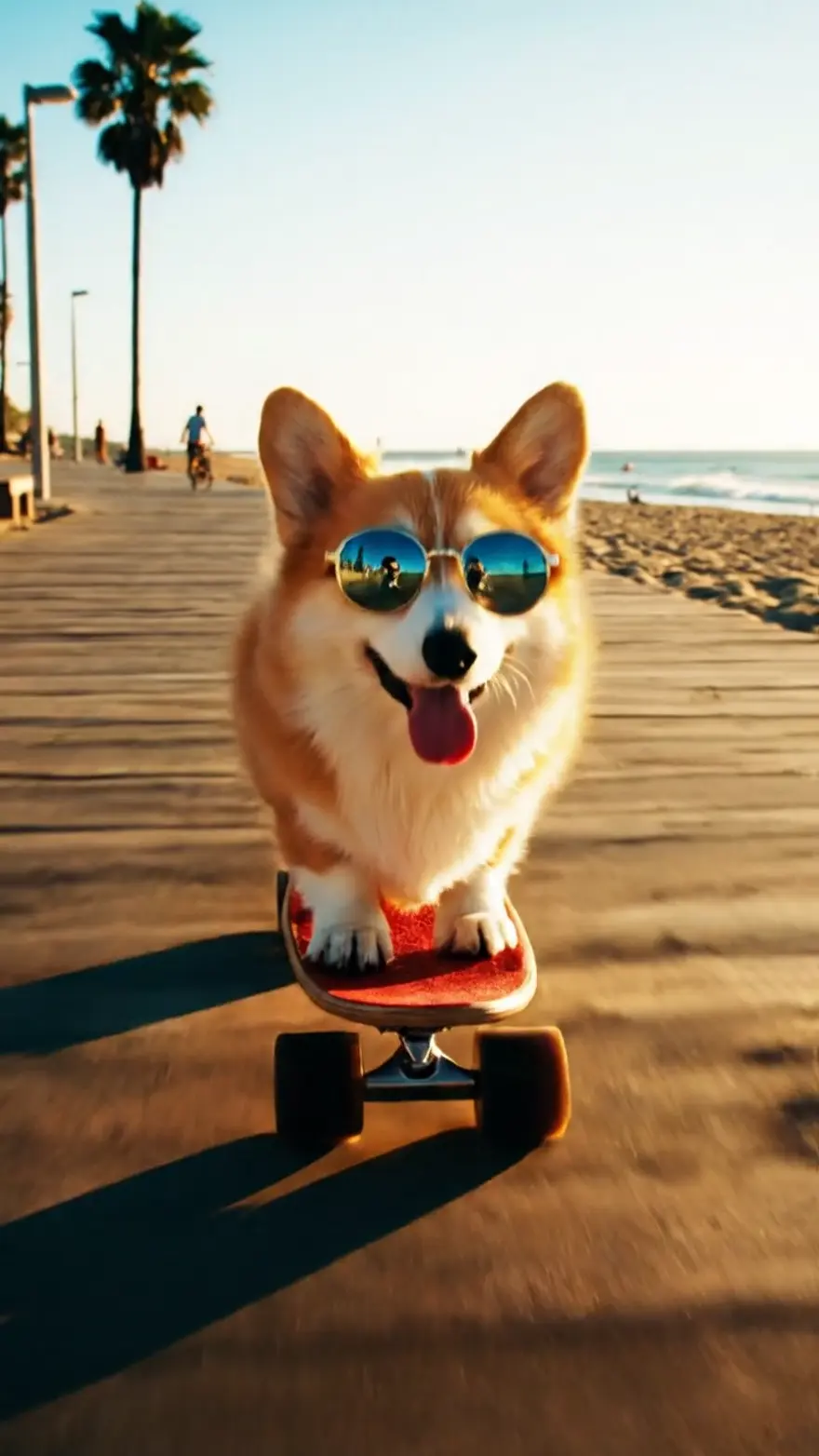
A corgi wearing tiny sunglasses rides a skateboard down a beach boardwalk, tongue out, upbeat summer energy
A bakery's morning in time-lapse: dough rising, croissants blooming golden in the oven, steam curling, the open sign flipping
A ceramic mug on a colored backdrop spins and snaps through four colorways in quick cuts, product content at scale
The mug clip is the one small businesses should look at: four colorways of a product in one generation, ready for a carousel. Open Veo 3.1 Fast.
Best with references: Seedance 2.0
Seedance 2.0 is a references-to-video model. Instead of describing a character and hoping the model draws the same one twice, you hand it up to four images of the character, optionally a video for the motion and an audio clip for the soundtrack, and describe the shot.
The wind-up fox toy comes to life: gears whir, it blinks, stretches, and trots forward across the workbench, warm lamp light
The same emerald wind-up fox toy walks carefully along a moonlit bookshelf, past leaning books, tail swaying with each mechanical step
Same fox, two scenes, one reference image. That is the property every other model in this list lacks, and it is why Seedance 2.0 is the one to build a series on. It outputs 1080p. Open Seedance 2.0 or read the full Seedance guide.
Best value for commercial energy: Kling 2.6 Pro
Kling 2.6 Pro is the lowest-cost of the flagship-class models here, and it is the one that most reliably delivers "spec ad" energy: impact, fast camera moves, product hero shots.
A sports drink bottle bursts through a wall of ice, shards flying in slow motion, electric blue splash forming a wave behind it, punchy commercial energy
A smartwatch rotating in studio light, screen cycling through watch faces, macro detail of the crown clicking, minimal white set
Give it a product photo as the start frame and describe the move. Open Kling 2.6 Pro.
The rest of the menu
Veo 3 Fast is the previous Veo generation's speed tier. It still generates native audio and it is the cheapest way to draft a Veo-style shot before you spend a Veo 3.1 generation on the final. Seedance (the original) is the quick way to animate a single still when you do not need references or sound. Veo 2 is silent and dependable, the right choice when you are scoring the footage yourself. Auto reads the prompt and picks; it is the option for people who want a result rather than a decision.
How to start
- Create a NinjaChat account and pick a plan. Video generation needs a paid plan (see pricing). One account covers the Studio and every model in it.
- Open the Studio in video mode. This link lands you there with the model menu open.
- Pick a model, or type a prompt and let Auto pick. The deep links above preselect each model.
- Add a reference if you have one. Drop in an image on any model; add a video or audio clip on Seedance 2.0.
- Generate, then iterate. Generation runs as a job; the Studio shows progress and the finished clip lands in your library. Download it or change one thing and run it again.
A prompt guide that works on all of them
The prompts in this piece share a shape, and the shape transfers:
- One shot, one subject. The models are built for a single shot. A three-scene story in one prompt gives you a muddle; three prompts give you three clean shots to cut together.
- Name the camera. "Wide anamorphic framing", "POV", "macro detail", "time-lapse", "camera chasing them". Lens and movement words are the highest-leverage words in the prompt.
- Describe the sound. "Hooves echoing in the silence", "deep rich sound design", "wind audible". On Veo 3.1, put a line of dialogue in quotation marks and say who says it and how.
- Give a reference instead of an adjective. On Seedance 2.0, attach the product photo rather than describing the product. On any model, a start image beats a paragraph.
- Pick the length for the job. Eight seconds is Veo's sweet spot. Kling snaps to five or ten. Seedance 2.0 goes to twelve. Short and clean beats long and drifting.
- Say the style once. "Premium commercial", "energetic vlog style", "pencil storyboard sketch" set the register; you do not need to repeat it.
When the API is the better deal
The Studio is the right place to explore. Once you know which model you want and you are generating in volume, the NinjaChat API is usually the better deal: you pay per generation from a prepaid balance, a phone-verified account starts with a $0.50 starter balance (a video clip needs a top-up, from $5), and the same key serves chat, images and video. Prices are flat per clip and shown live on each developer page. As of September 2, 2026, Kling 2.6 Pro is $1.40 per clip, Veo 3.1 Fast $1.20, Veo 3.1 $3.20 and Seedance 2.0 $3.64; the catalog always has the current number.
A video request is one call:
curl https://www.ninjachat.ai/api/v1/videos \
  -H "Authorization: Bearer $NINJACHAT_API_KEY" \
  -H "Content-Type: application/json" \
  -d '{
    "model": "veo-3.1-fast",
    "prompt": "A corgi wearing tiny sunglasses rides a skateboard down a beach boardwalk, tongue out, upbeat summer energy",
    "duration": 8,
    "aspect_ratio": "9:16",
    "generate_audio": true
  }'
Poll GET /v1/videos/{id} or register a webhook and the clip URL arrives when the job completes. Our Seedance 2.0 vs Veo 3.1 vs Kling 2.6 comparison goes deeper on the three flagship models, with the request for each.
FAQ
What is the best AI video generator right now? For a single shot that has to look filmed, Veo 3.1. For daily content, Veo 3.1 Fast. For a character or product you need to keep across clips, Seedance 2.0. For punchy commercial energy at the lowest cost, Kling 2.6 Pro. All four are in the NinjaChat Studio on a paid plan.
Is it free? No. NinjaChat is our product, and video generation in it needs a paid plan (from $11 a month). Each plan includes a monthly allowance of video credits, and the flagship models use more credits per clip than the lighter ones. On the API you pay per clip from a prepaid balance.
Which of these models generate sound? Veo 3.1, Veo 3.1 Fast, Veo 3 Fast, Seedance 2.0 and Kling 2.6 Pro all generate native audio. Veo 3.1 also delivers spoken dialogue when you put the line in quotation marks. Seedance 2.0 can follow a reference audio clip instead.
Can I turn a photo into a video? Yes. Every model in the Studio takes a start image. Seedance 2.0 goes further with up to four reference images, a reference video and a reference audio clip.
How long are the clips? Veo models produce 4-, 6- or 8-second shots. Kling 2.6 Pro produces 5 or 10 seconds. Seedance 2.0 runs 4 to 12 seconds through the API. For longer pieces, generate one shot per prompt and cut them together.
Are the example clips edited? No. Each clip is the raw output of the model through NinjaChat's own dispatch code, with the exact prompt printed under it. They are the same clips shown on each model's page.